Automatic Wallpaper Changer App — Free Trial
Rotate your desktop background hourly, daily, or randomly from thousands of HD & 4K photos — includes a daily photo feed, screensaver, and desktop calendar.
By downloading Webshots, you accept our Terms of Use and Privacy Policy
On a phone or tablet? These installers are for Windows and Mac — email yourself the download link and open it on your computer.
One email, nothing else. All downloads
The new Webshots New
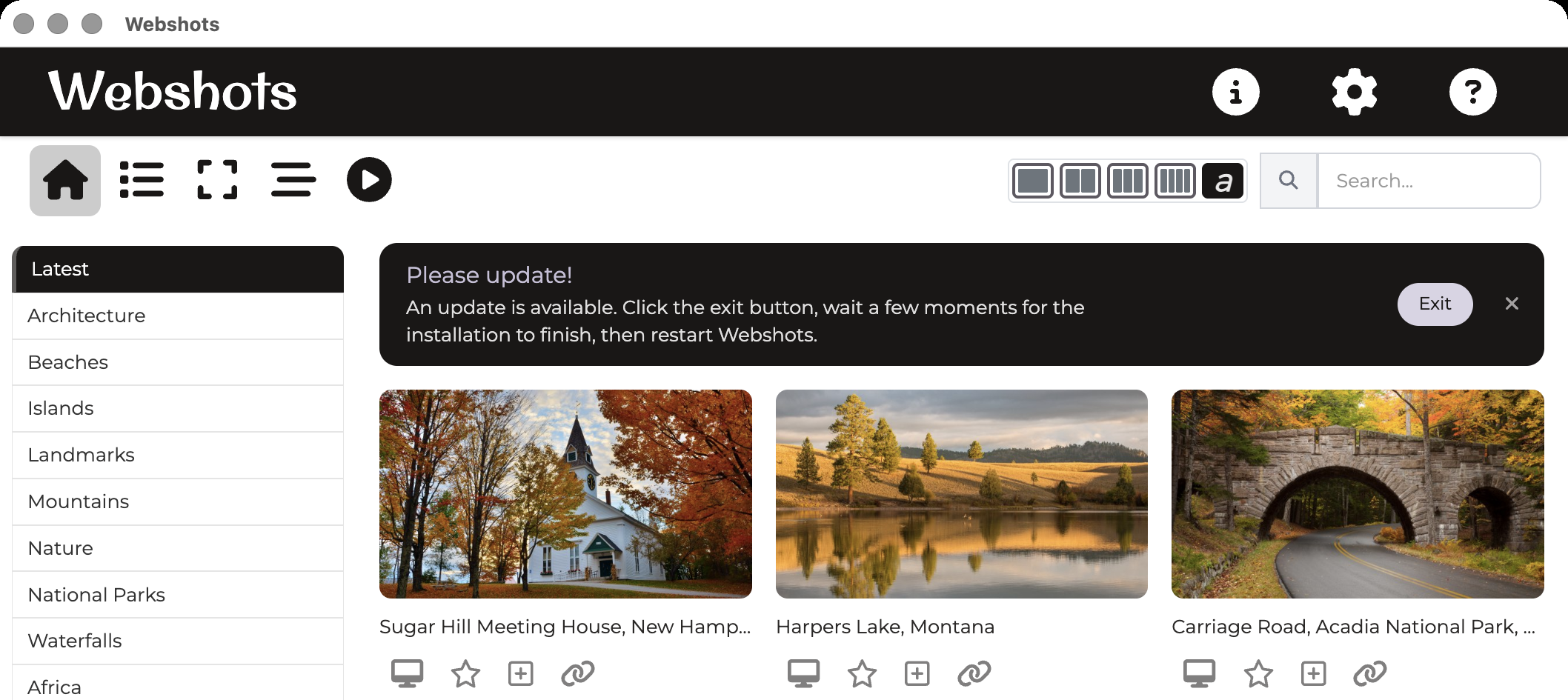
The next version of Webshots, rebuilt from the ground up. It's a much smaller app that starts fast and uses far less memory, with the same wallpaper rotation, screensaver, calendar and playlists.
Also new: Places. Explore the collection country by country — Banff, the Dolomites, Paris — and pick the views you love for your playlists. See the places →




Windows
Runs on Windows 7 and later.
Microsoft Store
One-click install from the Store — no security warnings, automatic updates
Get from Microsoft StoreSign in with your usual Webshots account. If you have the classic Webshots app, the new one takes its place: your settings, playlists and the photos you added from your PC come along. Not sure which to pick? The 32-bit one works on every PC.
SmartScreen Warning: You may see a "Windows protected your PC" message. This is normal for new software. To proceed:
- Click "More info" on the SmartScreen popup
- Click "Run anyway" to continue the installation
Mac
Runs on macOS 14 Sonoma and later, on Apple Silicon and Intel Macs.
Apple Silicon & Intel · macOS 14 and later
Download for MacAfter downloading, open the .dmg file and drag Webshots to Applications. Sign in with your usual Webshots account. If you have the classic Webshots app, the new one takes its place: your settings, playlists and photos come along.
The classic Webshots
Our original app, for anyone who prefers it and for Macs older than macOS 14 Sonoma.
Classic Webshots for Windows 10 & 11
SmartScreen Warning: With the .exe installer you may see a "Windows protected your PC" message. This is normal for new software. To proceed:
- Click "More info" on the SmartScreen popup
- Click "Run anyway" to continue the installation
Having trouble with the latest version? Download a previous version
Classic Webshots for macOS
Apple Silicon (Mx)
Download for Apple SiliconAfter downloading, open the .dmg file and drag Webshots to Applications
Looking for your old Webshots photos from 1999–2012? We can recover them free →
Automatic wallpaper rotation
Scheduled or random wallpaper changer — rotate hourly, daily, at startup, or shuffle randomly
Thousands of HD & 4K wallpapers
New daily wallpapers added — 2 fresh photos every day across nature, travel, animals, and cityscapes
Built-in desktop screensaver
Screensaver cycles through your photos when your computer is idle
Desktop calendar overlay
Optional calendar displayed over your wallpaper — date always in view
Custom photo playlists
Curate collections on webshots.com and rotate them on your desktop
Getting Started
Automatic Updates
The easiest way to keep Webshots up-to-date is through automatic updates
Release Notes
Places: explore the photos by where they were taken
Browse the collection country by country and region by region (Banff, the Dolomites, Paris and dozens more) and add the photos you love to your playlists. Choose where your photos are kept, Clear Wallpaper, and playlists linked to folders on your computer. Webshots keeps the language you chose in the regular app.
Download from webshots.com
Download Webshots straight from webshots.com. Installing it takes the place of the regular app and brings your settings, playlists and photos along. A clearer message when an email address can't receive mail.
Six languages, Photo Story, sharing
Webshots now speaks German, Spanish, French, Italian, Dutch and Portuguese. The screen saver and its effects, the calendar, and photos from your computer. New Home and Playlists views, Photo Story, dragging several photos into a playlist, sharing by email, a choice of display and an every-minute option. Sharper wallpapers on 4:3 and laptop screens.
The new Webshots
A much smaller, faster Webshots. Your playlists rotate as your wallpaper, with fit or fill, hotkeys and a daily note about today's photos.